One of the great things about LLMs is how prevalent voice-to-text apps have now become. I first found out about this segment of apps with WhisperFlow, but was shocked by what they were charging, considering they’re just running a simple detection algorithm and then passing it through an LLM to provide the final output. Thankfully, there are a ton of alternatives, and the one I’ve been using lately is called TypeWhisper.
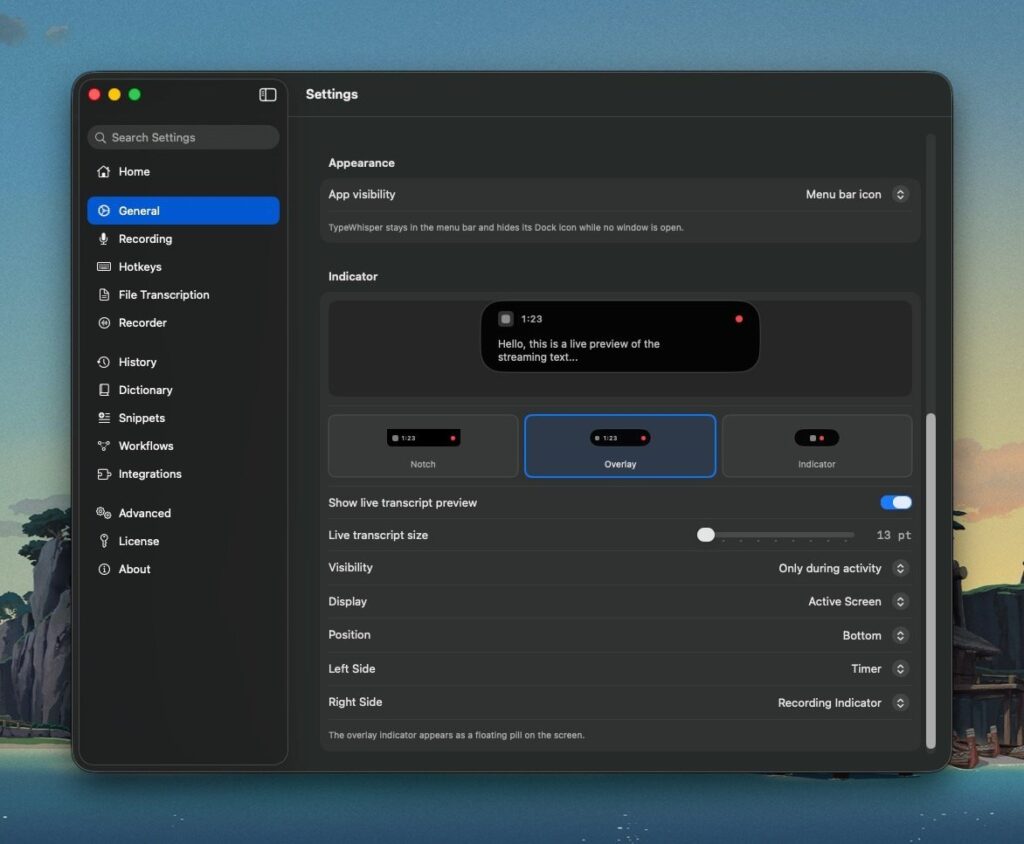
It’s an open-source, native Mac app, with a ton of options that should support whatever your preferred LLM provider is. It has a clean macOS interface with a floating live transcription bar at the bottom of the screen, which is helpful for seeing what it’s picking up in real time (though it’s optional).
You can set a global hotkey to automatically trigger the TypeWhisper input. I’ve set mine using a hyperkey mapped to Caps Lock + Spacebar, so from any app I can press that combination and it will automatically start transcribing. Once transcription is complete, it runs through Claude with specific rules to clean up filler words and fix grammar while keeping the core sentence structure intact. The result is clean text ready to paste directly from my clipboard. The full interaction is just Caps Lock + Spacebar, then paste. Done.
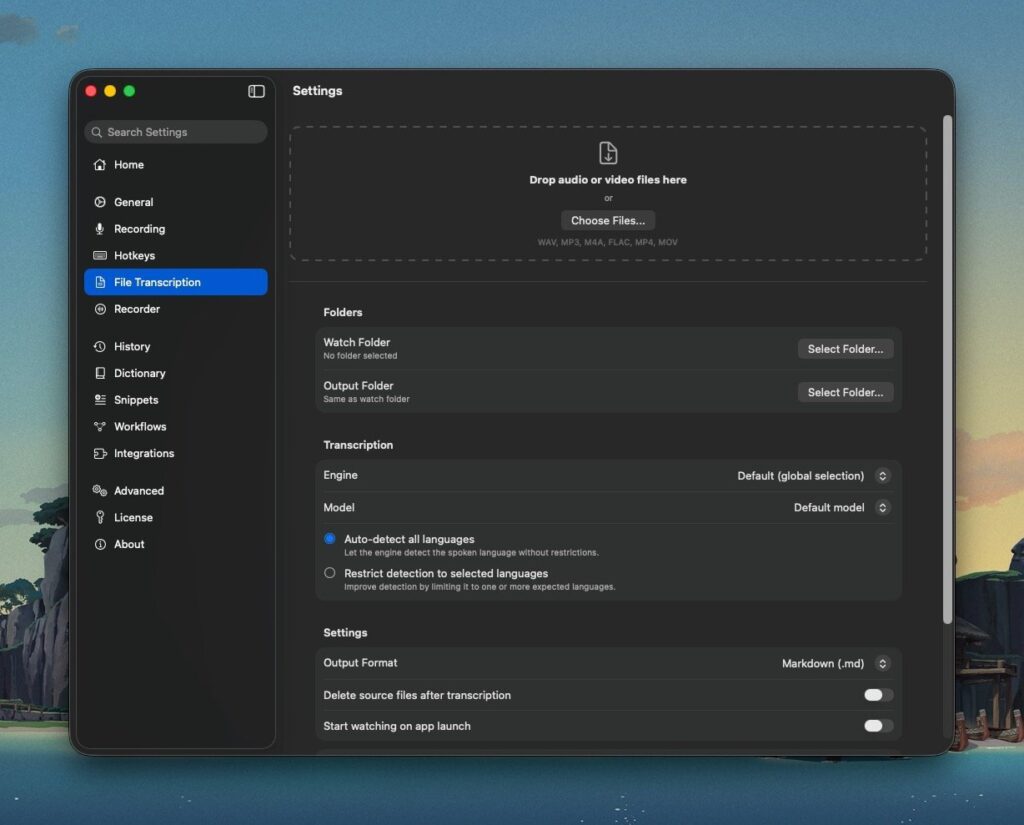
It also has a few other great features, like file transcription. I can drop audio or video files directly into the app and it will automatically extract the text. You can also have it monitor selected folders, so if I want to add a class audio recording, it can automatically transcribe that for me as well. It supports multiple languages, markdown output, and much more.
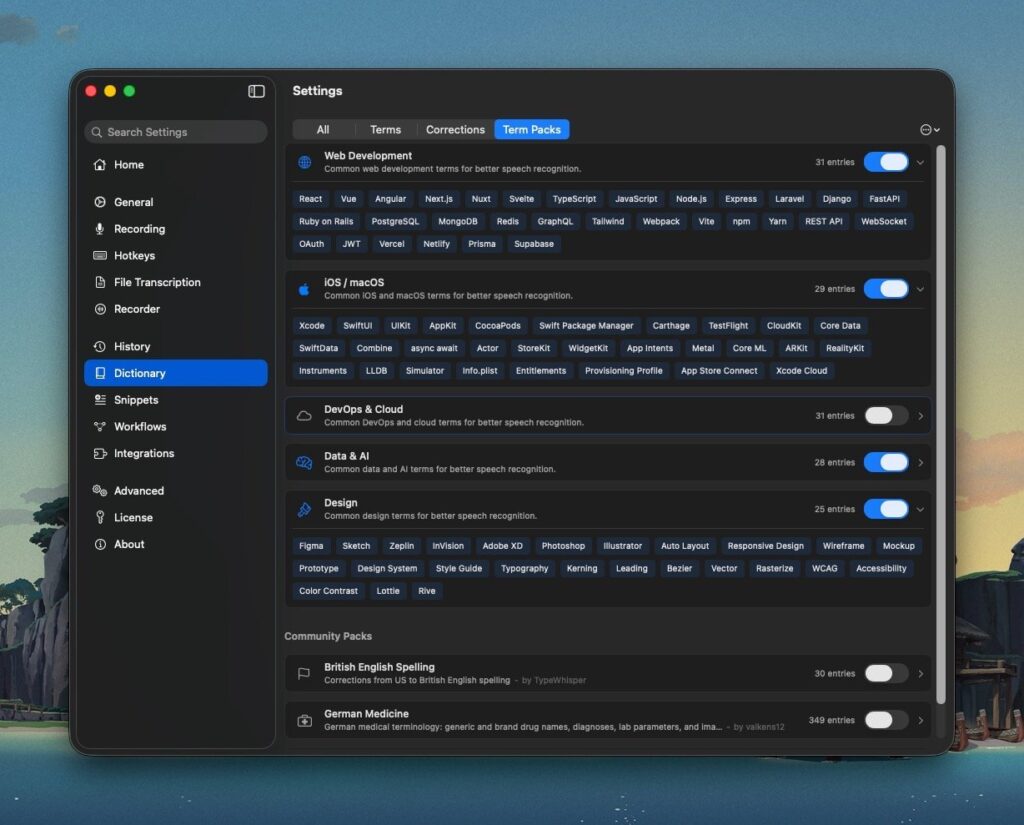
One standout feature that many competing apps lack is the ability to add words to a custom dictionary. Since I work in the tech space, a lot of the terminology I use won’t appear in a standard dictionary. TypeWhisper ships with pre-installed vocabulary libraries that you can toggle on and off — web development, iOS, macOS, data and AI, Figma design, and more are all baked right into the app, which is really great.
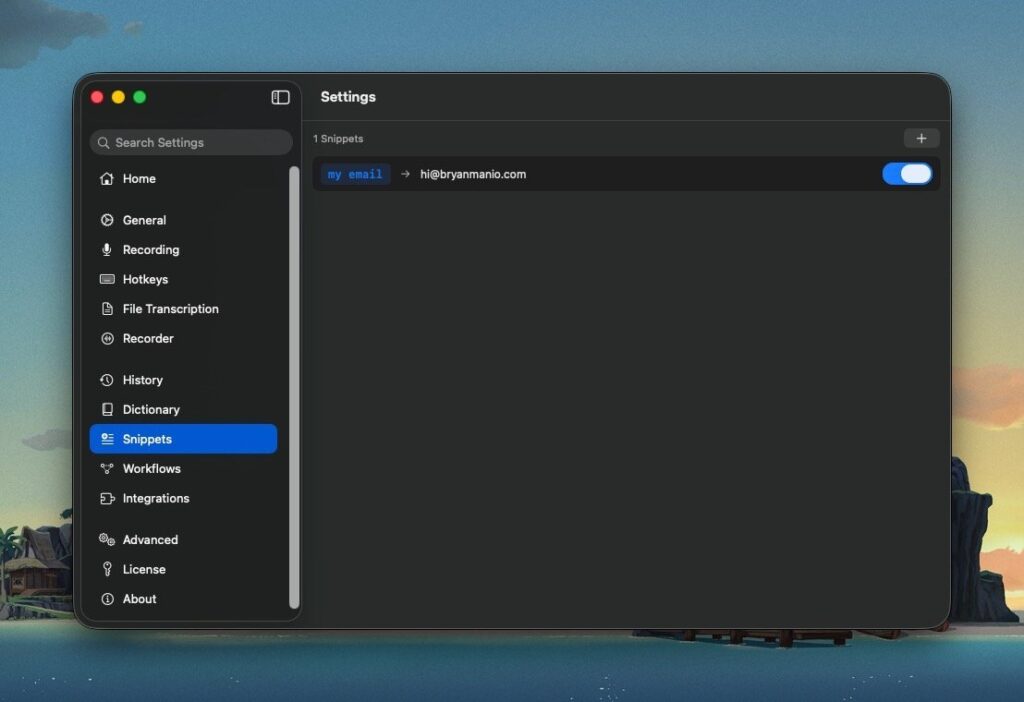
It also has a snippets feature. If I say something like “date,” “email,” or “time,” the app can detect those trigger words and swap them out in the transcription with their actual values. So “time” becomes 3:42 PM, or “email” expands to my full email address.
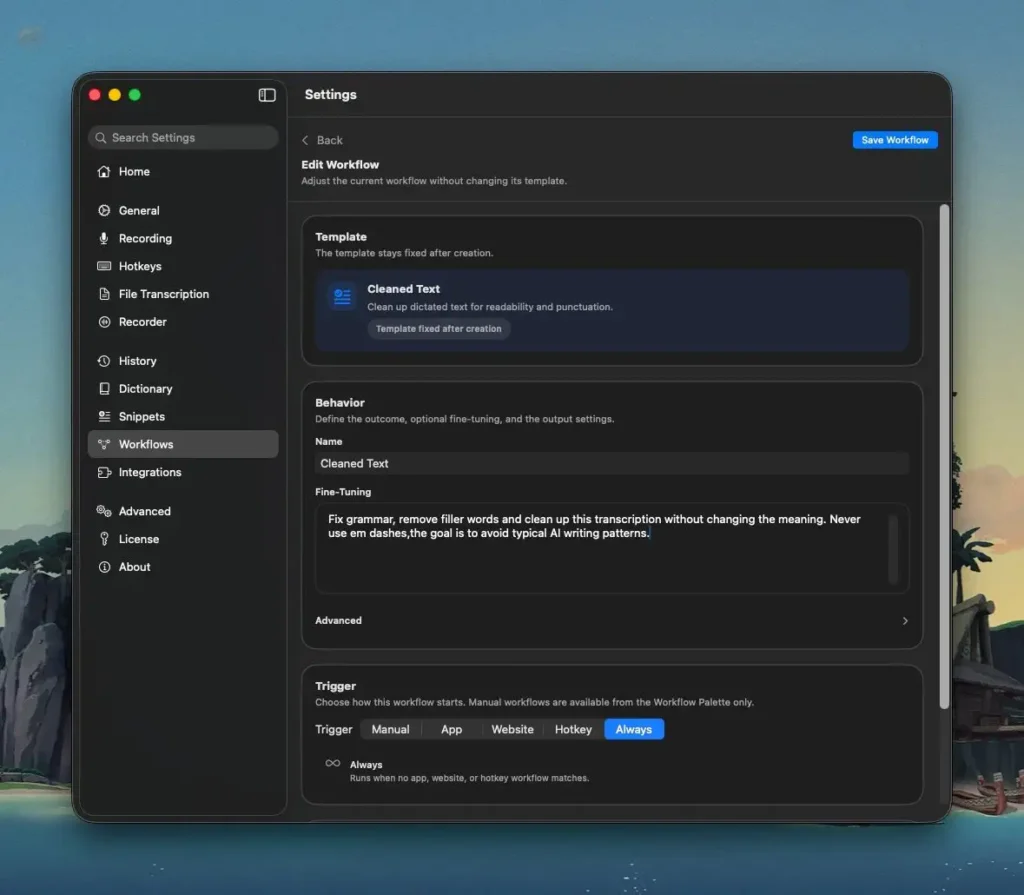
There are also workflows, which let you define what happens to the text before the final output is delivered. I use a simple cleanup workflow to keep things neat, but you can also automatically translate text into another language, structure your dictation into shareable meeting notes, add a checklist, and more.
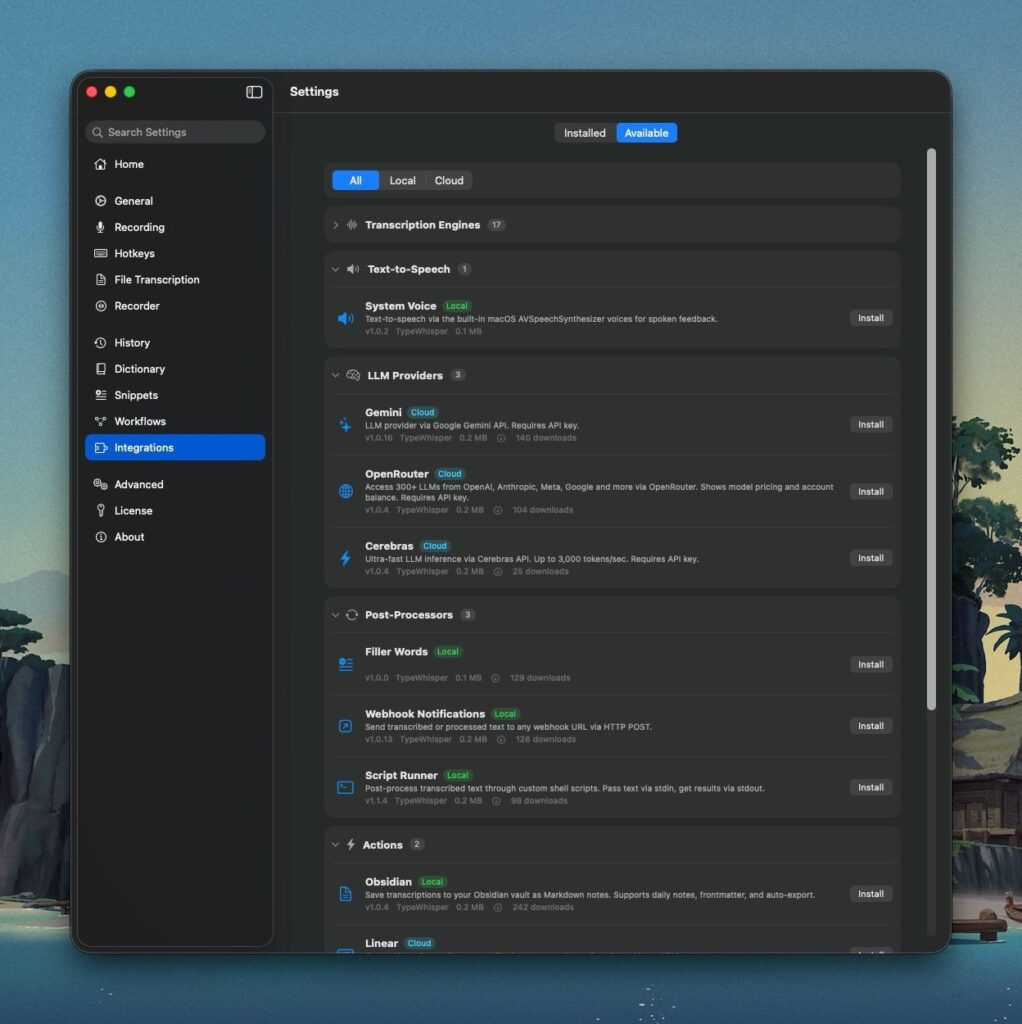
The integrations are where this app really shines. It supports 15+ local transcription engines for those who want to keep everything off the cloud (at the time of writing, there are 17). There are also actions, so I can automatically save transcriptions to my Obsidian vault (my note-taking tool of choice) or send text directly to new Linear tickets automatically.
This feels like the best free product on the market right now. At this point, it doesn’t make much sense to pay for LLM access through a third-party app when you can subscribe directly to your LLM of choice and route it through an open-source client. I’d rather pay for the core technology and wrap it in a front-end I actually enjoy using.
This app has genuinely changed the way I interact with my Mac. I can think faster than I can type, so it’s much easier to get my thoughts into words by just speaking into my microphone.
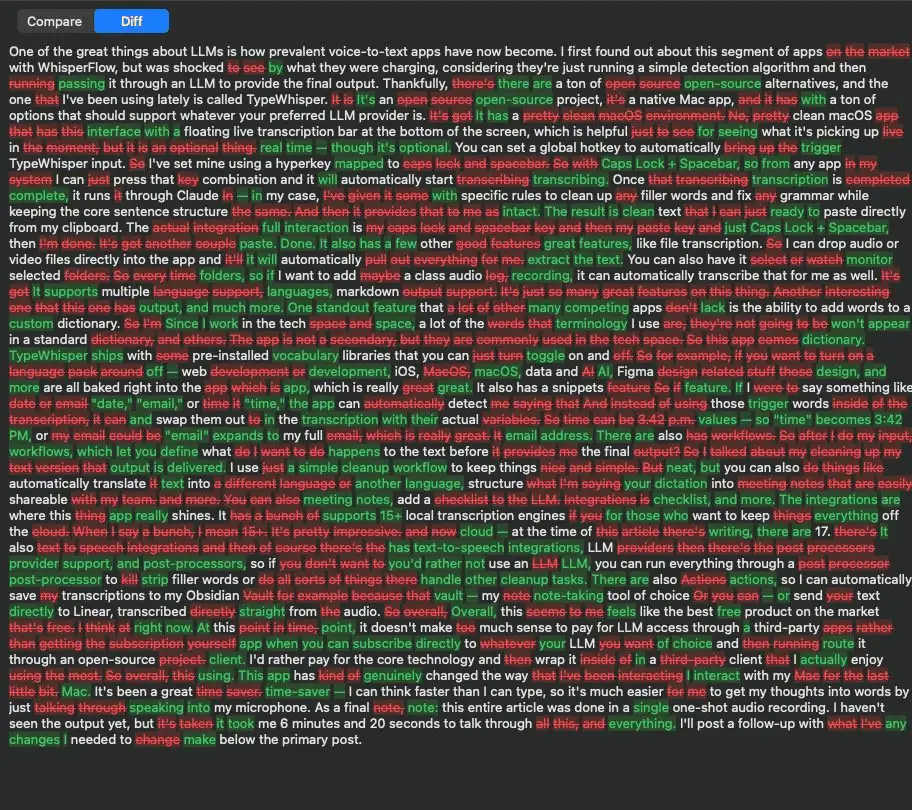
As a final note: this entire article was done in a single one-shot audio recording. As usual, passing it through Claude introduced an alarming amount of em dashes which I now hate. I used to use them all the time, but it’s such an AI giveaway that I’ve stopped using them altogether. I’ve since added a rule to my Type Whisper settings to avoid using them.
Overall, I’m super impressed. After reading the text, I didn’t think it had changed much, but my automated workflow ended up fixing a ton of grammar and filler words.
Here’s the full transcript, including the adjustments it made. Ignore the horrendous formatting.