I built a chess puzzle plugin for Kobo
Before bed, I like to wind down with my e-reader and do a little reading. I also like doing chess puzzles before I go to sleep, but the last thing I want to do is pull out my phone or laptop to do them. I always get sucked into doomscrolling Instagram, and that’s not what I’m looking for right before I fall asleep.
The Kobo is great for this sort of thing, though. It’s got an e-ink display, there are no distractions, and I’m already using it for reading. So I wanted to build a Kobo plugin that brings the Lichess puzzle system directly onto my Kobo.
What I built
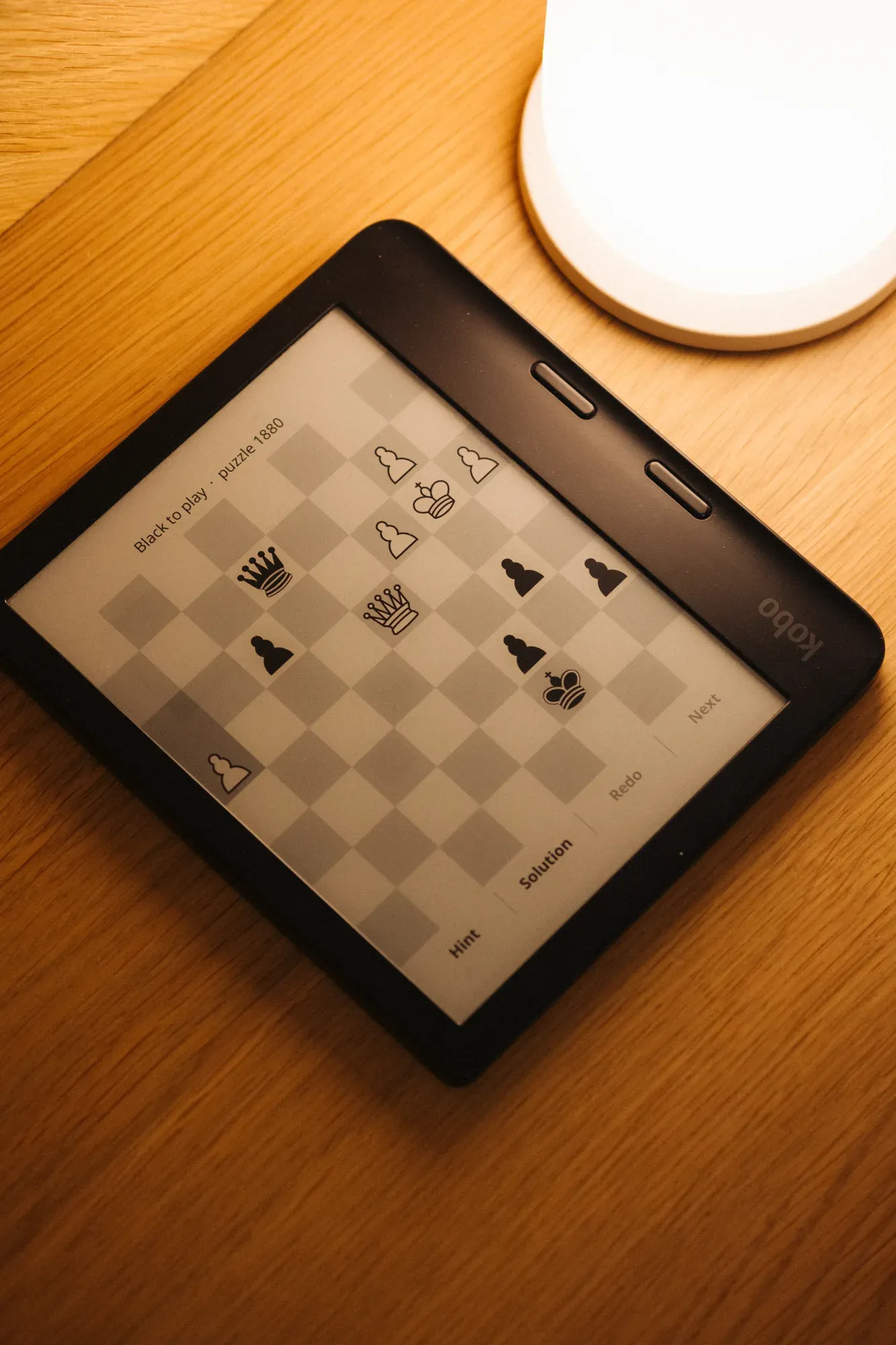
I’m happy to say it’s working great. It even authenticates with my Lichess account, and automatically pulls in my current rating and jumps me right into a puzzle.
It has some basic functionality:
- Shows the puzzle seed number (kinda handy if you want to reference or share it to someone)
- Options to display a hint or the solution (some of these get pretty complicated)
- Navigation to redo a puzzle, step back and forth through previous moves, or skip to the next puzzle (helpful when I fail, and want to go back to think through it again)
- A toggle between rated and unrated mode
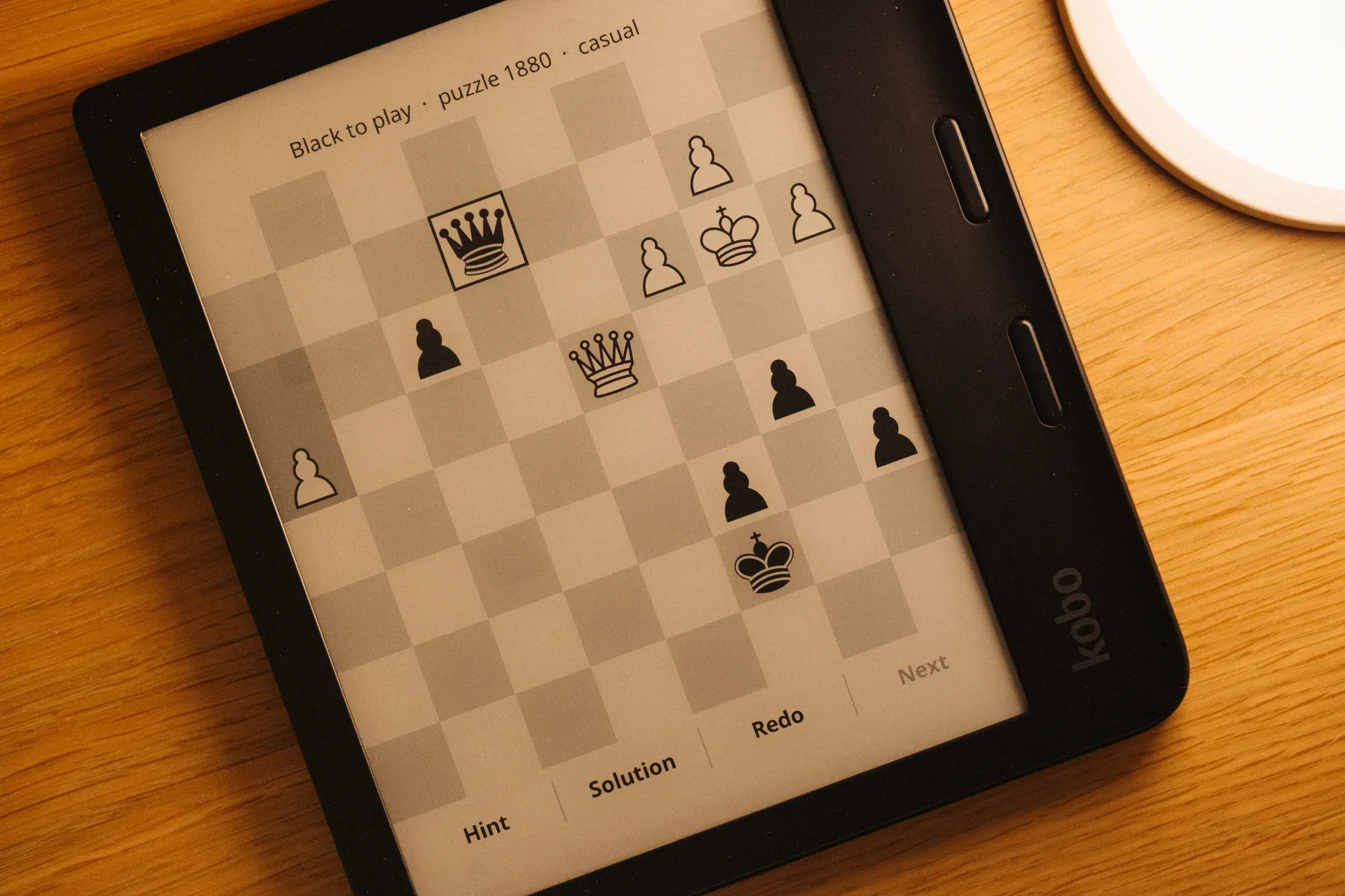
That last one is handy if you use the hint function since the puzzle can no longer count toward your rating. In this case, it simply swaps it to the unrated mode, then swaps it back on the next puzzle. In the image below you can see that the hint function is active because of the outline around the piece that should be moved.
The problem: Kobo doesn’t do apps
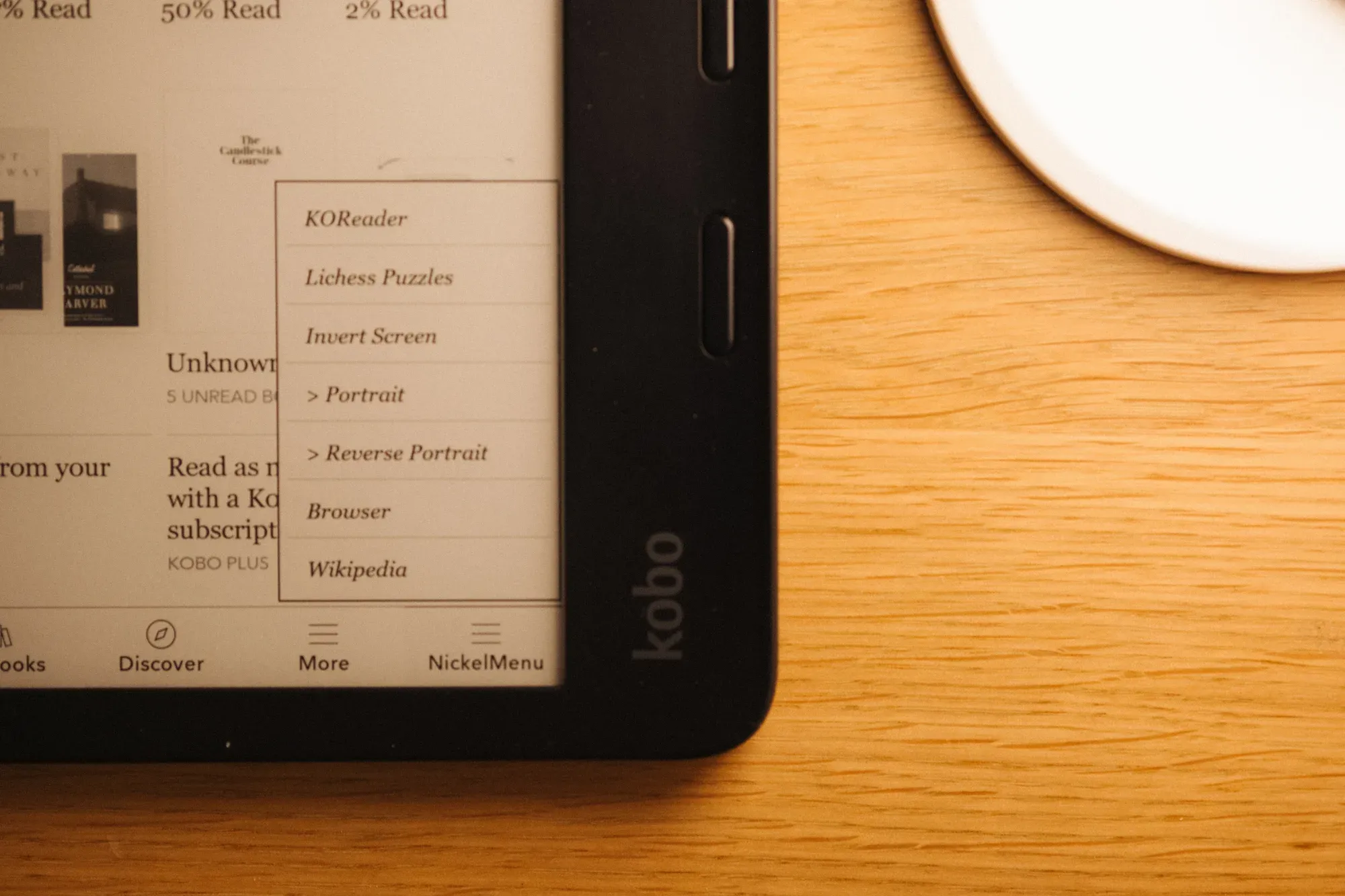
As I was building this, I ran into a couple of problems. First, Kobo doesn’t support apps. It’s a stock, closed reading experience.
Thankfully, the open source community has built something called KOReader. It’s essentially a third-party reader app that runs alongside Nickel, Kobo’s stock software. KOReader has its own plugin system, and that’s what I ended up building this on.
How it works
The plugin calls the Lichess API using the puzzle endpoint, pulls in the puzzles in the series, renders the board, and handles the input.
To keep things simple, I’m only supporting online play for now, so you do need a connection to use it. That’s something I might tweak in the future since my Kobo gets heavy use on flights as well.
I’m also using tap-to-select instead of drag. E-ink displays are much slower to refresh, and I found tapping is the only good UX.
Design decisions: borrowing from Lichess
I didn’t want to rock the boat and stray too far from what Lichess already does with its puzzle interface. It’s a proven system, so I leveraged it and optimized it for e-ink.
What I kept:
- Board orientation from the player’s side
- The feedback patterns
- The puzzle flow, which automatically moves you to the next puzzle once you solve one
What I dropped: all the animations, and anything else that fights against what e-ink is good at.
Correct and incorrect move markers
One thing I spent a little extra time on was the check and X markers that appear when you make a correct or incorrect move. At first I tried pulling in icons from KOReader’s built-in library, but the design just wasn’t working within the UI.
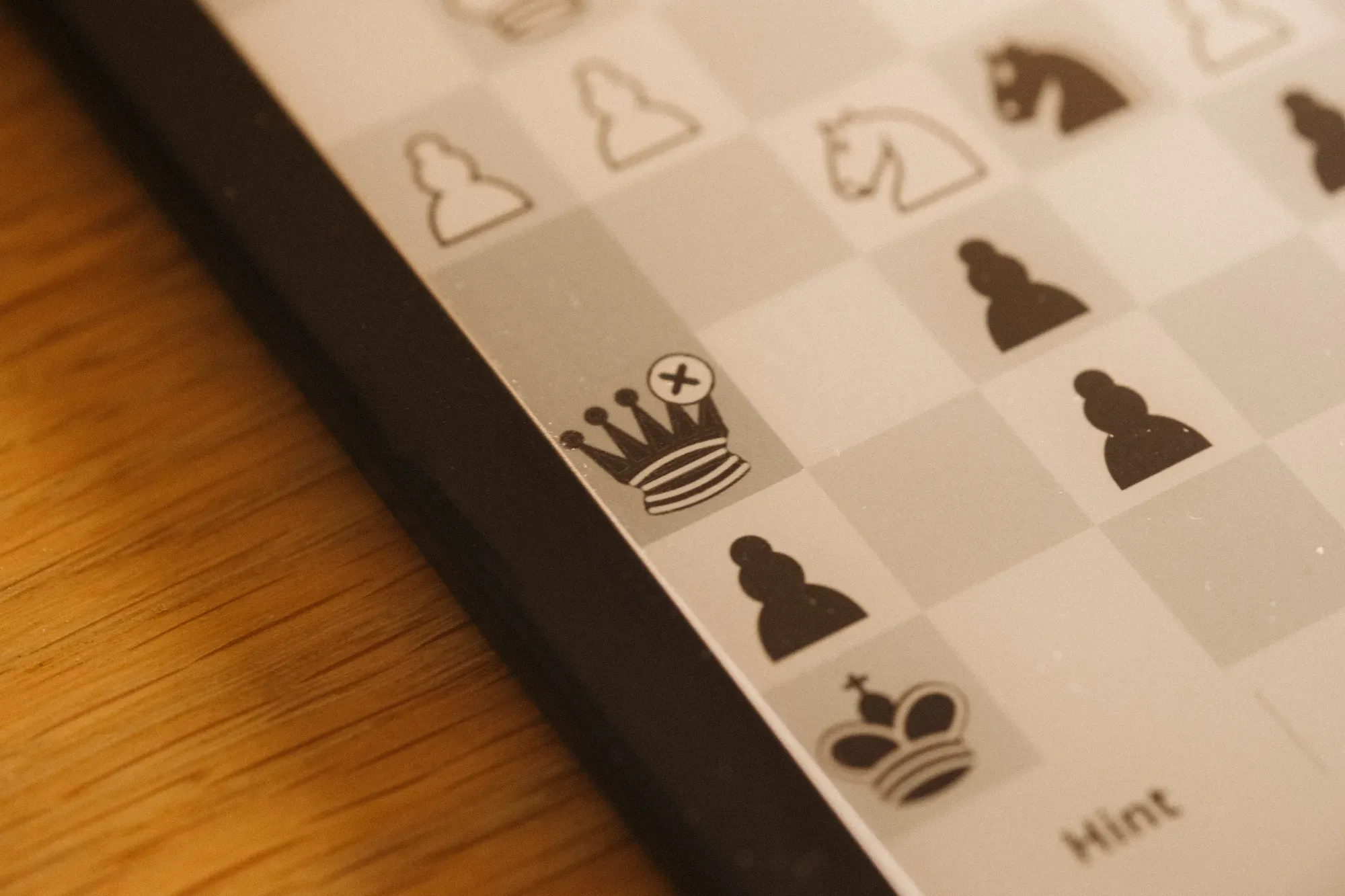
So instead, the plugin renders a pixel drawing of the check and X. It uses a light-on-dark or dark-on-light version depending on the color of the piece behind it, so the marker is always legible.
What’s next
I consider this a really strong starting point, but there’s room to grow:
- Offline play. Like I mentioned, this is something I’d like to start playing around with.
- Puzzle themes. On the official Lichess site you can practice specific tactics like forks or pins. This plugin can’t do that yet, and it feels like a natural next step.
- Better authentication. Right now it uses a slightly clunky setup where you drop a text file with your API token onto the Kobo itself. Down the line, OAuth login would be a nice improvement.
- Streaks, and that sort of thing.
But for now, I’m pretty happy with where it is.
Wrapping up
I’m impressed with how quickly this came together with Claude Code. But the real win is the habit it replaced. I get my puzzles in without a bright blue screen, on a device I’m already reaching for at that hour.
The repo has install instructions and all the attributions. If you’ve got a Kobo, I’d love to hear your thoughts.